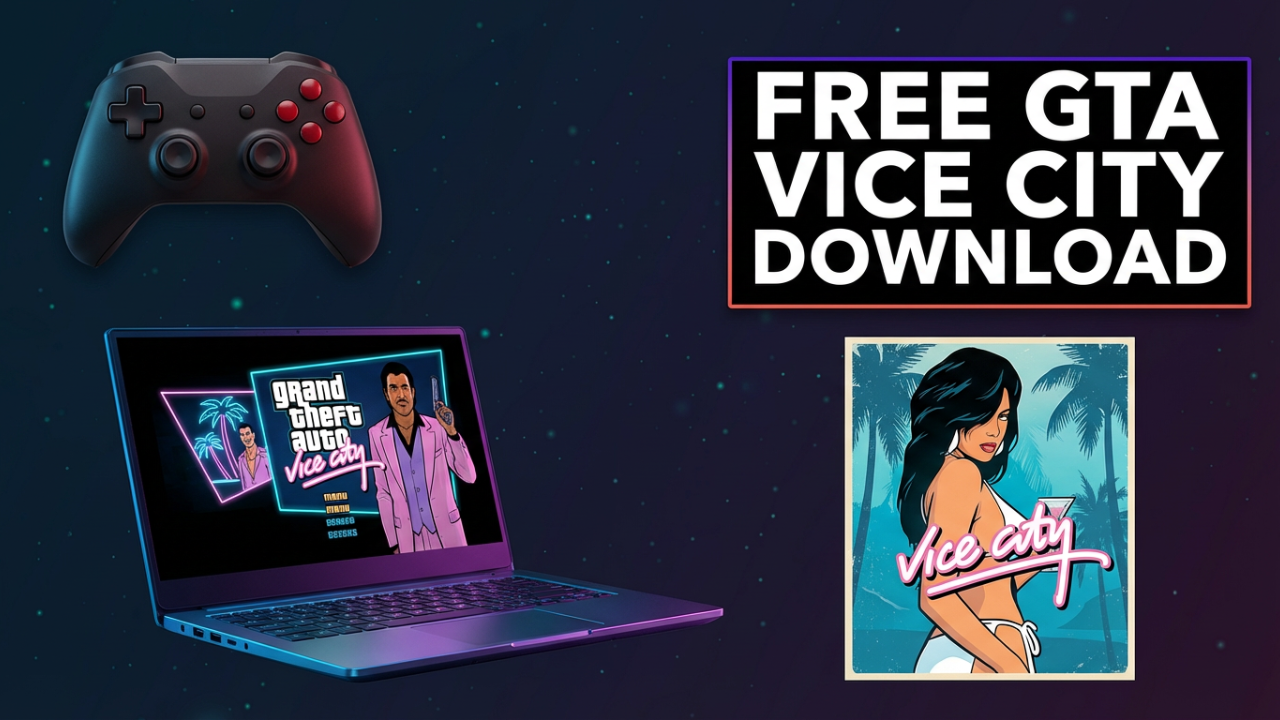
You’re here for one reason. You want to feel that neon-soaked 80s nostalgia, steal a Cheetah, and cruise down Ocean Drive listening to Flash FM. You want to play Grand Theft Auto: Vice City on your laptop. But you also want to get it for free. And that’s where the problems start, right? You’ve probably searched already. You’ve seen the websites: “GTA Vice City Full Game Free Download PC 2025.” “100% Working No Virus.” “Cracked Version Direct Link.” Every single one of them looks sketchy. They’re plastered with blinking ads, they ask you to download weird “.exe” files, and a little voice in your head is screaming, “This is how you get a virus.” That little voice is right. The internet is a minefield of digital traps, and “free” downloads of paid games are the most tempting and dangerous bait there is.
But what if there was a way to cut through all that noise? What if you could understand the real risks and then learn the *only* official, safe, and guaranteed way to get the real, working game on your laptop right now? That’s what this is all about. First, we’re going to pull back the curtain on those “free download” sites and expose what’s really hiding inside those files. Then, and this is the important part, I’ll give you a complete, step-by-step guide to downloading and installing GTA Vice City the official way. The way that guarantees you get the real game, with no viruses, no malware, and no risk to your expensive laptop. Don’t risk your computer. Let’s do this the right way.

ILIPUTER- International Computer Manufacturing Co.
Hook
You’re trying to download GTA Vice City for free on your laptop, but every link looks like a trap. In this video, we’re cutting through the noise. I’m going to show you what *really* happens when you try those ‘free’ downloads and then walk you through the *only* 100% safe and official way to install the real game right now. Don’t risk a virus—let’s do this right.
Section 1: The “Free Download” Trap – Exposing the Truth
Before we get to the solution, we need to understand the problem. Why is it so incredibly hard and dangerous to find a free copy of a game like GTA Vice City? The answer’s simple: the game isn’t free. Rockstar Games spent millions creating it, and they sell it to make a profit. Any website claiming to give it away is either lying or offering you something illegal and dangerous. Let’s break down exactly what you’re up against when you click one of those sketchy links.
First off, the most immediate danger: Malware. This isn’t some hypothetical boogeyman; it’s a real and devastating threat. “Malware” is just a catch-all term for software designed to wreck your computer. When you download a “cracked” game, you’re not just getting game files. More often than not, you’re downloading a program that’s been tampered with. Hackers take the original game, break its copy protection, and then inject their own malicious code into the installer.
So what kind of nasty stuff are we talking about?
One of the most common is Adware. It might seem harmless at first. You install the “game,” and hey, maybe it even runs, but suddenly your web browser is hijacked. You’re getting non-stop pop-up ads. Your search engine has been changed to something you’ve never heard of. Every page you visit is covered in blinking banners. This adware is designed to generate fake ad revenue for the hacker who tricked you, and it makes your computer slow and a total nightmare to use.
Even worse is Spyware. Just like the name implies, this malware spies on you. Once it’s on your system, it can log every single key you press. Think about that for a second. You log into your email, your bank account, your social media—the spyware records your username and password and sends it straight to a criminal. It can steal your personal files, your photos, your documents. It can even turn on your webcam and microphone without you knowing. This isn’t scaremongering; it happens to thousands of people who fall for the “free download” trick.
Then there’s the king of malware: Ransomware. This is a digital kidnapping. You run the infected file, and a message takes over your screen. All of your files—your photos, your school papers, your work—have been encrypted. You can’t open them. The message demands a payment, usually in Bitcoin, to get the key. If you don’t pay, your files are gone forever. And even if you do pay, there’s no guarantee the criminals will give you the key. They already have your money; why would they help you?
And let’s not forget Cryptominers. These are especially sneaky. A cryptominer runs silently in the background, using your laptop’s power to mine for cryptocurrency. You might not even notice it’s there, but you’ll wonder why your laptop is suddenly so slow, why the fan is always blasting, and why your battery dies so fast. The malware is maxing out your computer’s hardware 24/7 for a hacker’s financial gain, causing permanent damage and shortening your laptop’s lifespan.
On top of all that, the “free” game itself often doesn’t even work. These pirated copies are notoriously unreliable. They crash, they’re missing files, they have game-breaking glitches. You could spend hours downloading a massive file, go through a risky installation (they often tell you to disable your antivirus—big red flag!), only to find you’ve been given a broken, useless product. And you can forget about official updates or support. You’re completely on your own.
Finally, there’s the legal risk. Downloading copyrighted games is illegal. While you probably won’t get sued, your Internet Service Provider can see this activity. They might send you a warning, slow down your internet, or even cut off your service.
So let’s recap the trap. You search “GTA Vice City free,” find a sketchy site, and click download. Best case? You get a broken game. Worst case? You get adware, spyware that steals your passwords, or ransomware that holds your digital life hostage. When you weigh all of that against the small cost of buying the game legally, the choice is pretty clear.
Section 2: The Official Way – Your Ticket to a Safe and Stable Vice City
Okay, now that we’ve seen the dangers, let’s talk about the solution. Getting GTA Vice City on your laptop in a way that is 100% safe, legal, and guaranteed to work is incredibly simple. It just isn’t free. But think of it this way: you’re not just paying for a game. You’re paying for peace of mind. You’re paying to know the file you’re downloading is clean. You’re paying for a game that will install correctly, run smoothly, and get any needed updates. And you’re supporting the developers who made a classic.
There are three main, official places to buy and download GTA Vice City for your laptop. These are the only places you should ever use.
1. **The Rockstar Games Launcher:** The official platform from the creators of the game themselves.
2. **Steam:** The biggest digital store for PC games in the world.
3. **The Epic Games Store:** Another huge digital store that often has great sales.
When you buy from any of these three, you’re getting the real deal. The official files, verified to be malware-free. The installation is handled automatically, and it’s simple. If you get a new laptop later, you just log into your account and re-download the game without paying again. That’s the security you’re paying for.
Now, what version of the game will you get? Today, Rockstar sells **Grand Theft Auto: The Trilogy – The Definitive Edition**. This is a bundle with modern, remastered versions of GTA III, GTA: San Andreas, and of course, GTA: Vice City. While the original version of Vice City has been sold separately on Steam in the past, the Definitive Edition trilogy is the primary way to buy it now.
This is actually great news. The Definitive Edition has a ton of enhancements. We’re talking brilliant new lighting, high-resolution textures, and increased draw distances so you can see all the way across the map. Most importantly, it has updated, GTA V-style controls, which makes the gameplay feel much smoother than the 20-year-old original. So, you’re not just getting the safe version of the game; you’re getting the *best* version.
Next up, we’ll walk through exactly how to check if your computer can run it, and then how to buy and install it from the Rockstar Games Launcher and Steam. This is the smart way to do it.
### Section 3: Can Your Laptop Handle the Neon Streets? Checking System Requirements
Alright, before we spend any money or download anything, we need to do one crucial check: making sure your laptop is actually powerful enough to run the game. There’s nothing worse than buying a game, waiting for it to download, and hitting “Play” only for it to be a laggy, unplayable mess.
We’re focused on **Grand Theft Auto: Vice City – The Definitive Edition**. Because it has updated graphics, the requirements are higher than the original 2002 game. They’re broken down into “Minimum” and “Recommended.”
Let’s take a look.
**Minimum System Requirements:**
This is the absolute bare minimum your laptop needs. You’ll probably play at lower resolutions with lower graphics settings, aiming for around 30 frames per second.
* **Operating System:** Windows 10 (64-bit)
* **Processor (CPU):** Intel Core i5-6600K or AMD FX-6300
* **Memory (RAM):** 8 GB
* **Graphics (GPU):** Nvidia GeForce GTX 760 (2GB) or AMD Radeon R9 280 (3GB)
* **Storage:** 45 GB of available space.
**Recommended System Requirements:**
If your laptop meets these specs, you’ll have a much better time. You can play at 1080p with high settings and get a smooth 60 frames per second.
* **Operating System:** Windows 10 (64-bit)
* **Processor (CPU):** Intel Core i7-2700K or AMD Ryzen 5 2600.
* **Memory (RAM):** 16 GB
* **Graphics (GPU):** Nvidia GeForce GTX 970 (4GB) or AMD Radeon RX 570 (4GB)
* **Storage:** 45 GB of available space.
Okay, so what does that all mean?
* **Processor (CPU):** The “brain” of your laptop. The models listed are just examples; the key is having a reasonably modern processor.
* **Memory (RAM):** Your computer’s short-term memory. 8GB is the minimum, but 16GB is highly recommended to reduce stuttering.
* **Graphics (GPU):** The single most important part for gaming. This handles all the visuals. Many non-gaming laptops use weaker “integrated graphics.” If your laptop only has that, it may struggle. You’re really looking for a “dedicated” graphics card from Nvidia or AMD.
* **Storage:** This is how much free space you need. The full trilogy requires 45 GB, so make sure you have enough room.
**How to Check Your Laptop’s Specs**
So, how do you find out what’s in your laptop? It’s easy on Windows.
1. Click the Start Menu or search bar.
2. Type **”dxdiag”** and press Enter. This opens the DirectX Diagnostic Tool.
3. On the first “System” tab, you’ll see your **Operating System**, **Processor** (CPU), and **Memory** (RAM).
4. Now, click the **”Display”** tab. In the “Device” box, you will see the **Name** of your graphics card (GPU).
Take a second and do this now. Compare your specs to the minimum requirements. If you’re below the minimum, especially the GPU, the game probably won’t run well. If you meet the minimum, you’re good to go. If you meet or exceed the recommended, you’re in for a great time. Knowing this before you buy is the final step in avoiding any frustration.
ILIPUTER- International Computer Manufacturing Co.
Section 4: Step-by-Step Guide: The Rockstar Games Launcher Method
This first method uses the official launcher from Rockstar, the company that made the game. It’s the most direct way to get it.
**Step 1: Download the Rockstar Games Launcher**
1. Open your web browser and search for “Rockstar Games Launcher.”
2. The first result should be the official download page from `rockstargames.com`. Click it.
3. You’ll see a big “Download for Windows” button. Click it.
4. The installer file will download. It’s pretty small.
**Step 2: Install the Rockstar Games Launcher**
1. Find the file you just downloaded, probably named `Rockstar-Games-Launcher.exe`, and double-click it.
2. Windows might ask for permission. Click “Yes.”
3. The installer will open. Choose your language and click “Continue.”
4. Accept the License Agreement and click “Continue.”
5. The default install location is fine. Just click “Continue.”
6. The launcher will now install and download any updates. When it’s finished, click “Close.”
**Step 3: Create a Rockstar Games Account**
The launcher should open automatically. If not, just double-click the new icon on your desktop.
1. The launcher will ask you to sign in. Since you probably don’t have an account, click “Create a New Account.”
2. You’ll have to agree to the terms and then provide a nickname, email, and password.
3. Fill everything out and click “Create Account.”
4. **Important:** Rockstar will send a verification email. Go to your inbox, find that email, and click the link inside to activate your account.
**Step 4: Purchase GTA Vice City**
Now that you’re logged in, it’s time to buy the game.
1. In the launcher, click the “Store” tab.
2. Use the search bar and type in “Vice City.”
3. The result will likely be **”Grand Theft Auto: The Trilogy – The Definitive Edition.”** As we talked about, this is how you get Vice City.
4. Click on the trilogy and then click the “Buy Now” button.
5. You’ll be sent to the checkout screen. Enter your payment info (they take credit cards, PayPal, etc.) and confirm the purchase. The game is now permanently tied to your account.
**Step 5: Download and Install the Game**
The hard part is over. Now we just download.
1. Go to the “Library” or “Games” tab in the launcher.
2. You should see the Trilogy in your list of games. Click on it.
3. Find **”Grand Theft Auto: Vice City – The Definitive Edition”** and click the “Install” button next to it.
4. Confirm the install location (make sure you have that 45GB of free space) and click “Install.”
5. The download will begin. The size is pretty big, so the time will depend on your internet speed. Just be patient and let it finish.
6. Once it’s done, the “Install” button will turn into a “Play” button.
**Step 6: Play the Game!**
That’s it! You did it. You safely bought and installed the official version of GTA Vice City. Click that “Play” button and enjoy the 80s.
Section 5: Step-by-Step Guide: The Steam Method
Another super popular and safe way to get PC games is through Steam. If you already use it, this will be easy. If not, don’t worry—I’ll walk you through it.
**Step 1: Download and Install Steam**
1. Open your browser and search for “Steam.”
2. The official website, `store.steampowered.com`, should be the top result. Click it.
3. On the homepage, look for a green button that says “Install Steam” in the top right. Click it.
4. On the next page, click the blue “Install Steam” button. The installer will download.
5. Find the `SteamSetup.exe` file and double-click it.
6. Click “Yes” for permission, then follow the installer prompts. Click “Next,” choose your language, “Next” again, and finally “Install.”
7. Once it’s done, make sure “Run Steam” is checked and click “Finish.”
**Step 2: Create a Steam Account**
Steam will launch and update. Then you’ll see a login window.
1. Click on the “Create a New Account” button.
2. Enter your email address and follow the steps.
3. Steam will send you a verification email. Go to your inbox and click the link to verify your email address.
4. After that, you’ll choose your Steam Account Name and a password.
5. Once your account is created, go back to the Steam app and log in.
**Step 3: Purchase GTA Vice City on Steam**
Now that you’re in Steam, let’s go shopping.
1. Click on the “Store” tab in the upper-left.
2. Find the search bar on the right and type “Grand Theft Auto Vice City.”
3. You’ll see **”Grand Theft Auto: The Trilogy – The Definitive Edition.”** This is the one you want.
4. Click on it. You might have to enter your birthday to prove you’re old enough to see the page.
5. Scroll down a bit and click the green “Add to Cart” button.
6. You’ll be taken to your cart. Click “Purchase for myself.”
7. Choose how you want to pay. Steam has a lot of options.
8. Enter your payment details and complete the purchase. You now own the game on Steam!
**Step 4: Download and Install the Game from Your Library**
The game is now linked to your account forever. Let’s get it on your laptop.
1. In the Steam app, click the “Library” tab.
2. Scroll down your list of games and find “Grand Theft Auto: The Trilogy – The Definitive Edition.” Click it.
3. In the middle of the screen, you’ll see a big blue “Install” button. Click it.
4. A window will pop up showing the required disk space. Just click “Next.”
5. Steam will now download and install the game. You can watch the progress in the “Downloads” section at the bottom.
6. Just wait for it to finish.
**Step 5: Launch Vice City!**
The blue “Install” button will now be a green “Play” button.
1. Click “Play.”
2. A small window will pop up asking which game in the trilogy you want to launch.
3. Select **”Grand Theft Auto: Vice City (Definitive Edition)”** and click “Play.”
The first time you launch, Steam may need to link up with the Rockstar Games Launcher, so you might be prompted to log in to your Rockstar account. This is a one-time thing. After that, you’re in! You did it the safe, official, and smart way.
Section 6: A Quick Word on the Epic Games Store
Just to be thorough, let’s mention the third official platform: The Epic Games Store. The process here is pretty much identical to what we just covered.
1. You’d go to the Epic Games website to download and install their launcher.
2. Create an Epic Games account and log in.
3. Search the store for “Grand Theft Auto: The Trilogy – The Definitive Edition.”
4. Add it to your cart and buy it.
5. Finally, go to your library in the Epic launcher and click install.
The key takeaway is that the process is the same for all official stores: install launcher, create account, buy game, download from library. All three—Rockstar, Steam, and Epic—are 100% safe. Sometimes one store will have a sale when the others don’t, so it can be worth checking the price on all three before you buy.
Conclusion
So, let’s wrap this up. We started out trying to download GTA Vice City for free, and quickly saw that “free” is a trap. It’s a minefield of sketchy sites trying to infect your computer with malware, steal your info, and cost you way more than the game itself. We learned that those “cracked” files are unreliable, illegal, and a direct threat to your security.
But then we shifted gears to the *official* way. The right way. We learned that for a small price, you get a guaranteed, safe, and better version of the game—the Definitive Edition. We walked through exactly how to check your system requirements so you know it’ll work, and then followed the precise, click-by-click steps to buy and install the game safely from both the Rockstar Games Launcher and Steam.
You now have all the knowledge you need. The choice isn’t confusing anymore. You can either gamble with your laptop’s health and your personal data on a shady website, or you can use one of the official methods we covered and be playing a clean, legit copy of the game in under an hour.
The lure of “free” is strong, but your security is priceless. Make the smart choice. Follow these steps, buy the game from an official source, and enjoy your trip back to the 80s without any worries.