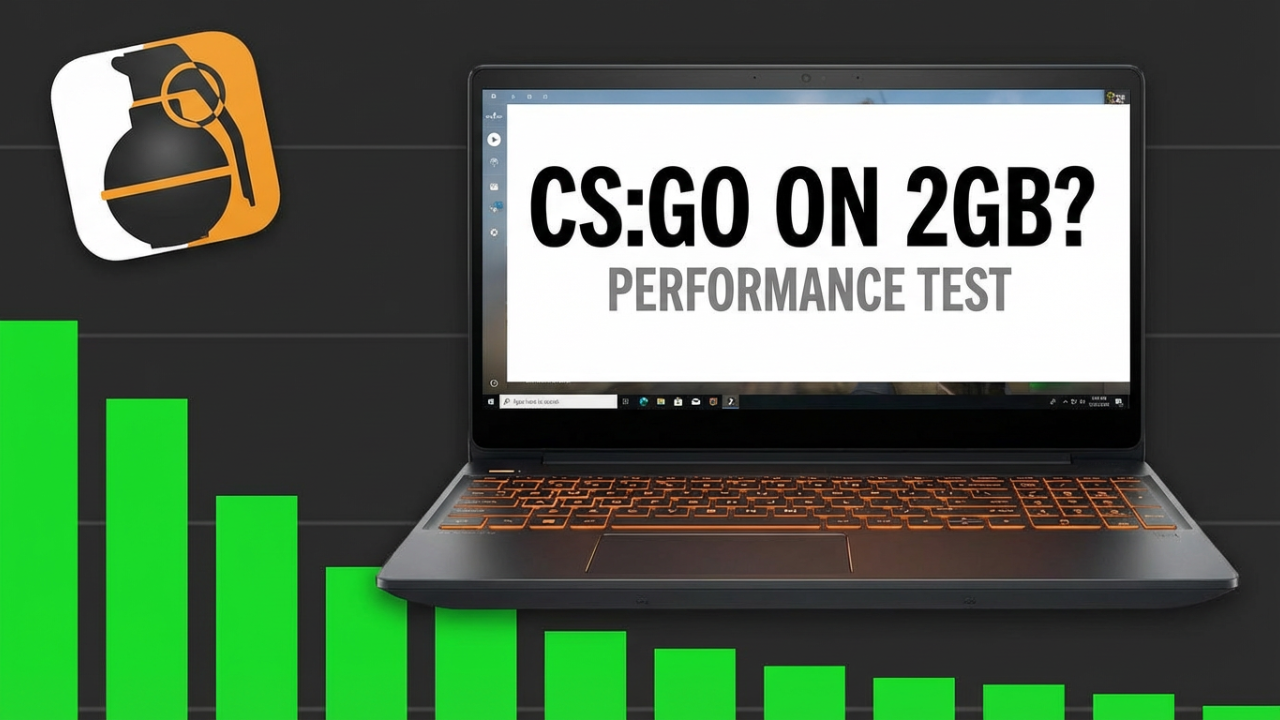
Your laptop has two gigabytes of RAM. And we’re going to see if it can run CS:GO. This is for anyone who’s ever been stuck with an old machine, for anyone who’s ever stared at the ‘minimum system requirements’ and just prayed. Can you actually be competitive in CS:GO with the absolute bare minimum, or is it a complete, slideshow disaster? Let’s find out.
(Part 1: The Setup & The Challenge)
Alright, welcome everyone. Before this adventure turns into a surprising win or a total tech horror show, let’s properly introduce our hero. Or, maybe, our sacrificial lamb. This is a laptop that time forgot. I found it in the dusty corner of a second-hand shop, squeezed between a VCR and a box of mystery chargers. The sticker on it, yellowed with age, boasts about features that were once cutting-edge but now sound like the specs for a smart toaster. The shop owner gave me a look that was half pity, half confusion when I bought it. “You want this? It’s… slow,” he said. And as I’d soon find out, that was the understatement of the year.
Let’s talk specs, because that’s the heart of this challenge. The processor is a name I haven’t heard in a decade. The hard drive is a classic spinning disk that makes a faint, worrying clicking sound when it’s thinking too hard. But the crown jewel, the whole reason we’re here, is this: two gigabytes of DDR3 RAM. Two. To put that in perspective, most modern phones have three, four, even six times that. Today’s gaming PCs are rocking 32 gigs or more. We are working with a tiny fraction of that. In fact, Windows itself can eat up two gigs of RAM just by *existing*. We have zero breathing room.
But here’s the interesting part, the little spark of hope this whole video is built on. When Counter-Strike: Global Offensive came out back in 2012, its official minimum RAM requirement was exactly two gigabytes. The game was made to be playable on the hardware of the time, and back then, 2GB wasn’t a joke; it was pretty common. So, technically, on paper, this should work. The real question is, after a decade of updates, new skins, and engine tweaks, has that minimum requirement become a ghost? A cruel joke left on the Steam page to give people like me false hope?
Our mission is simple. First, can we even get it to run? I mean, launch the game, load a map, and move without it feeling like I’m clicking through a PowerPoint of my own failure. Second, and this is the big one, can I actually be competitive? Can I, with this massive handicap, play a real match and not be a total anchor for my team? Can I get a kill? Can I win a round? The experiment starts now.

Part 2: The Initial Failure
The first problem wasn’t even in the game; it was *getting* the game. CS:GO needs about 15 gigabytes of space. This laptop’s hard drive, after the OS, had just enough. It felt like sucking in your gut to button up an old pair of jeans. The download itself was an exercise in patience. Watching the progress bar crawl forward on this machine’s ancient Wi-Fi was like watching a glacier move. I made coffee. I read a book. I think I aged a little.
After what felt like an eternity, it was done. The icon sat on my desktop, a symbol of both hope and impending doom. With a deep breath, I launched Steam, which took a full minute just to wake up. I clicked ‘Play’. The screen went black. We waited. A tiny loading box appeared. More waiting. The hard drive started making that frantic clicking noise again, like a desperate cry for help. I could feel the heat coming off the keyboard. This poor machine was trying, it really was.
Finally, the main menu flickered to life. And it was… rough. Moving the mouse wasn’t a smooth glide; it was a series of small, agonizing jumps. Every button took a second to register it was being hovered over. The background animation wasn’t an animation at all. It was a still image that updated every five seconds. It was bad. But hey, it loaded. Small victory.
Feeling way too optimistic, I decided to jump right into the deep end. No tweaks, no changes. I wanted to see the absolute worst-case scenario. I queued for a Deathmatch on Dust 2. The loading screen popped up, and this is where the laptop really started to scream. The progress bar was frozen. The game sounds started, but they were a garbled, stuttering mess. It sounded like a robot having a seizure.
Then, after three full minutes of this, I spawned.
And I use the term “spawned” very loosely. My screen froze on a single, blurry frame. For ten solid seconds, I was looking at a pixelated wall. Then the frame updated. Now I was looking at the sky. Another update. I was dead. A message told me I’d been eliminated. I hadn’t even taken a step.
I respawned. This time, I could see a little more. The game was running, I guess. It was running at what I can only describe as one frame per second. Maybe two, if it was feeling generous. I’d press ‘W’ to move forward, and a full second later, the screen would update to show I’d lurched a few feet. It was completely unplayable. An enemy appeared—or rather, a blob of pixels vaguely shaped like a person materialized. I tried to aim. I clicked. The screen froze. When it updated, I was dead again.
This was the slideshow disaster. It wasn’t just bad; it was a fundamentally broken experience. You couldn’t react, you couldn’t aim, you couldn’t even move. It was like trying to play a shooter through a series of photos sent in the mail. Right now, the experiment was a catastrophic failure. Those minimum specs on the Steam page felt like a total lie. But this isn’t the end. This is just the first hurdle. Now, the real work begins. It’s time to optimize.
Part 3: The Optimization Montage
This is where the real quest starts. We’ve seen rock bottom, the digital abyss of single-digit frame rates. Now, we fight back. This is an all-out war for every single frame, a battle for every last megabyte of RAM.
First up, the obvious stuff: in-game video settings. We’re not just lowering things; we’re nuking them from orbit.
Global Shadow Quality? Set to Very Low. Shadows are a huge performance hog. In our world, everyone’s a vampire now. No shadows.
Model and Texture Detail? Low. We want the ugliest, mud-like textures the game has. We’re not here for art; we’re here for frames.
Shader Detail? Low. This controls shiny guns and water reflections. Our guns will be dull, our water will look like blue paint, and we will thank it for the extra FPS.
Multicore Rendering? We’re enabling this. On some PCs it helps, on others it hurts. We’re praying our dual-core processor can find a way to work together.
Anti-Aliasing? Off. Completely off. We want those sharp, jagged, pixelated edges. Smoothing them is a luxury we cannot afford.
V-Sync? Disabled. Always. It causes input lag and caps your FPS, and we need every last frame.
Motion Blur? Disabled. Does anyone actually play with this on? It’s gone.
And now, the single most important change: Resolution. We’re dropping it way, way down. We’re not even aiming for 720p. We’re going to a classic 4:3 aspect ratio, 1024×768. The game will look stretched, and player models will be wider, but this is a time-honored trick in competitive CS for a reason. It’s all about performance.
Next, we move to the arcane arts: Steam Launch Options. This is where we give the game special instructions before it even starts. We’re throwing everything at the wall.
`-novid`: Skips the intro video. Every resource counts.
`-nojoy`: Disables joystick support. We’re not using one, so let’s not waste the RAM.
`-high`: Tells Windows to give the game’s process a high priority for CPU resources.
`-threads 2`: We’re explicitly telling the game our CPU has two threads.
`+cl_forcepreload 1`: This can make load times longer but helps reduce stuttering mid-game. We’ll take it.
`-lv`: This is the ‘low violence’ mode. It removes blood and ragdoll physics, which means fewer physics calculations for our poor CPU. This could be huge.
Finally, the dark magic: system-level warfare. The OS itself is our enemy. I went on a rampage in Task Manager. Every non-essential process was terminated. Update services, cloud sync, printer helpers—gone. I watched the RAM usage meter like a hawk, celebrating every megabyte I clawed back. I turned off all of Windows’ visual effects. My desktop now looks like it’s from 2001, but it’s lean. The power plan was set to “High Performance,” telling the CPU not to hold anything back. I even opened the laptop and physically blew out a decade’s worth of dust.
We’ve tweaked, we’ve disabled, we’ve stripped this game and OS down to their bare bones. If you find this descent into low-spec madness interesting, consider subscribing. It really helps the channel and lets me keep finding old relics to push to their absolute limits.
Now, for the moment of truth. Was all this work for nothing, or did we just breathe life back into this old warrior? Time to relaunch and find out.
Part 4: The Moment of Truth
The second launch. The hard drive still clicked, but it sounded less desperate. The game loaded… faster. A lot faster. The main menu, once a stuttering mess, was now… smooth. The cursor glided. Menus opened instantly. The background was actually animating. This was a huge leap forward.
With renewed hope, I queued for that same Deathmatch on Dust 2. The map loaded in under a minute. And then, I spawned.
I could move. I could *actually* move. I pushed ‘W’, and my character walked forward in real-time. I moved my mouse, and my view was smooth. I looked at the FPS counter. The numbers were dancing between 50 and 70. In tighter corridors, it even jumped toward 100. It looked like a blurry, stretched-out potato of a game, but it was a *fluid* potato.
I ran out toward the B site. An enemy rounded the corner. Instinct took over. I raised my crosshair, I clicked, and he dropped. I got a kill. A real, actual kill. I let out a cheer. It was possible! This heap of plastic, which minutes ago could barely render a single frame, was now a viable, if ugly, gaming machine.
But Deathmatch is just chaos. The real test is a competitive 5v5 match. I queued up. This was the final exam.
The first few rounds were an adjustment. That 1024×768 resolution makes player models wider and easier to hit, but your field of view is narrower. My frames were holding up, though. In the early pistol rounds, the game stayed consistently above 60 FPS. I was communicating, holding my position, and trading kills. I wasn’t top of the scoreboard, but I wasn’t at the bottom, either. I was contributing.
Then came the mid-game. Rifles, grenades, smokes. This was the real test. I found myself in a 1-on-1 to win the round. My heart was pounding. I peeked a corner… and there he was. My frames dipped for a split second, but they held. We both opened fire. Thanks to the stretched res, he looked like a giant block on my screen. I controlled my spray and got the headshot. We won the round. It felt incredible.
But this journey wasn’t without its trials. The Achilles’ heel of this whole setup became brutally clear: the smoke grenade. The moment one bloomed, my screen turned back into that horrible slideshow. My FPS plummeted from a respectable 60 down to a gut-wrenching 15. Walking through smoke was impossible. The screen would freeze, update, and I’d be on the other side, usually dead. This is the competitive deal-breaker. Smokes are a fundamental part of CS strategy. Being completely helpless inside them is a massive, unbeatable disadvantage.
The rest of the match was a mix of highs and lows. In straight-up aim duels, I could hold my own. But any time heavy utility was used, especially multiple smokes, my performance tanked. We reached the final round, 14-15. It was an all-out scramble on the B site. Grenades were flying, flashes were popping, smokes were everywhere. My frames died. I was playing in slow motion. I fired my weapon toward the enemy, more out of hope than skill. The screen froze. When it came back, the round was over. We had lost. I finished the game in the middle of the scoreboard—not great, but far from the disaster I expected. I had proven you could play. But could you win when it mattered? The answer was… complicated.
Part 5: The Verdict & The Takeaway
So, back to the original question: Can you play CS:GO on a 2GB RAM laptop?
The answer is a surprising yes… but with a giant asterisk. You absolutely can get the game to run at a playable frame rate in many situations. Going from an unplayable 1 FPS slideshow to a relatively smooth 60+ FPS is a huge achievement. For simple aim duels and basic scenarios, you can compete. You can get kills. You can have fun.
However, can you actually be *competitive*? The answer there is a much clearer no. The reason is inconsistency. That 60 FPS you get in a quiet hallway will vanish the moment the action heats up. The single biggest deal-breaker is the performance in smoke grenades. A fundamental part of competitive Counter-Strike renders this machine useless. Dropping to 15 FPS inside a smoke isn’t a disadvantage; it’s a death sentence. You can’t hold a site, you can’t push a chokepoint, and you can’t win a round if your screen turns into a PowerPoint the second a smoke blooms.
So, what’s my final recommendation? If you have a 2GB RAM machine and you just want to play some Counter-Strike, you can use these steps to get it running. You can have a blast in Deathmatch, practice your aim, and enjoy the core mechanics. For casual fun, it works. But if you want to climb the competitive ranks, you’ll be fighting a losing battle against your own hardware.
And I have to make a very important point about the future. This entire experiment was with CS:GO. Its replacement, Counter-Strike 2, is a completely different beast. It’s built on the newer Source 2 engine and is way more demanding. The minimum requirement for CS2 is 8GB of RAM, four times what this machine has. If you tried to run CS2 on this laptop, it wouldn’t just be a slideshow; it would probably melt. The days of 2GB of RAM being even remotely viable for new games are long gone.
This experiment was a fascinating look into the past and a brutal lesson in the realities of aging hardware. We pushed this little laptop to its breaking point, and it fought back hard. It didn’t win the war, but it won some key battles, and for that, it has my respect.
Conclusion
This was a wild ride, and honestly, way more successful than I thought it would be. It’s a great reminder that sometimes you can breathe new life into old tech. But it makes me wonder about your stories. What’s the most ridiculous, underpowered, ancient piece of hardware you’ve ever tried to game on? What crazy tricks did you use to make it work? Let me know your war stories in the comments below. I’d genuinely love to read them. Thanks for joining me on this journey.